


Google is Wasting Your Budget on "Junk" Queries – Here’s How to Stop It
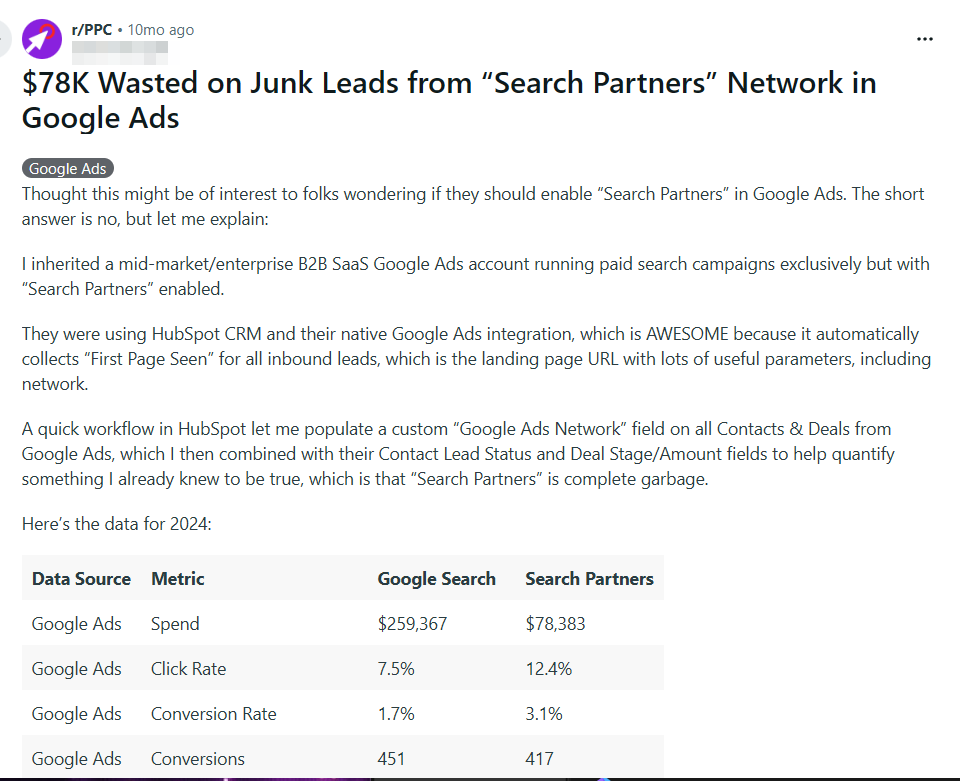
Wasting ad spend on irrelevant search queries is one of the most painful issues when working with Google Ads. For years, Reddit, BlackHatWorld, and other affiliate forums have been flooded with complaints: advertisers are losing thousands of dollars on clicks that will never convert. For instance, one Reddit user shared a story about losing $78,000 on junk leads due to the Search Partners setting being enabled.
A similar issue was shared by an affiliate on BlackHatWorld: while using Phrase Match, he had to spend $50 a day on clicks for queries that had nothing to do with his offer.

However, the situation is not hopeless. There are specific methods to combat each of the mechanisms Google uses to slip junk queries to advertisers. The YeezyPay team has broken down the main ones.
How Junk Queries Drain Your Budget – Four Main Mechanisms
Based on the experience of dozens of users, four mechanisms can be identified as the primary causes of wasted ad spend:
-
Search Partners – partner sites where query matching works more aggressively than on the primary Search Network;
-
Auto-Apply – a mechanism that allows AI to interfere with campaign settings without the advertiser’s knowledge;
-
Close Variants – a keyword expansion system that replaces your queries with "similar" ones;
-
Other Search Terms – hidden queries that consume budget but which Google refuses to disclose.
Here is a breakdown of each mechanism – from those that can be fixed in a minute to those that seem, at first glance, to be beyond an affiliate's control.
Search Partners
The Search Partners network includes hundreds of thousands of third-party websites where your search ads can appear. The list of partners includes YouTube, Amazon, Ask, as well as any site with a built-in Google search engine – from news portals to parked domains.
Each platform has its own approach to what constitutes "good traffic," its own audience, and its own algorithms. The problem isn't just that the sites in the Search Partners list are often questionable or even fraudulent. According to PPC Land, the keyword matching algorithm on Search Partners works more loosely than on Google Search: Exact Match expands more aggressively, leading to a ROAS drop of as much as 37%. In other words, your exact keywords become approximate, and you pay for clicks from people who were looking for something entirely different.
One Reddit user reported that when he enabled Search Partners, his campaign spend increased by 200–1000% – with zero sales. Google refused to issue a refund.
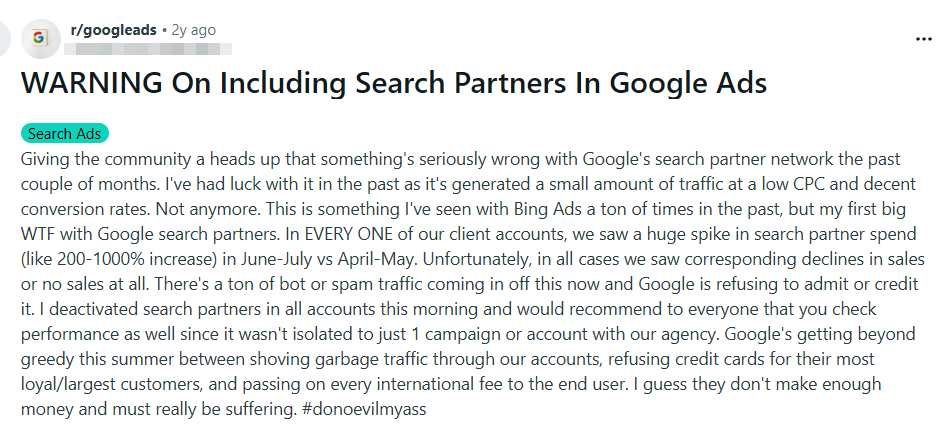
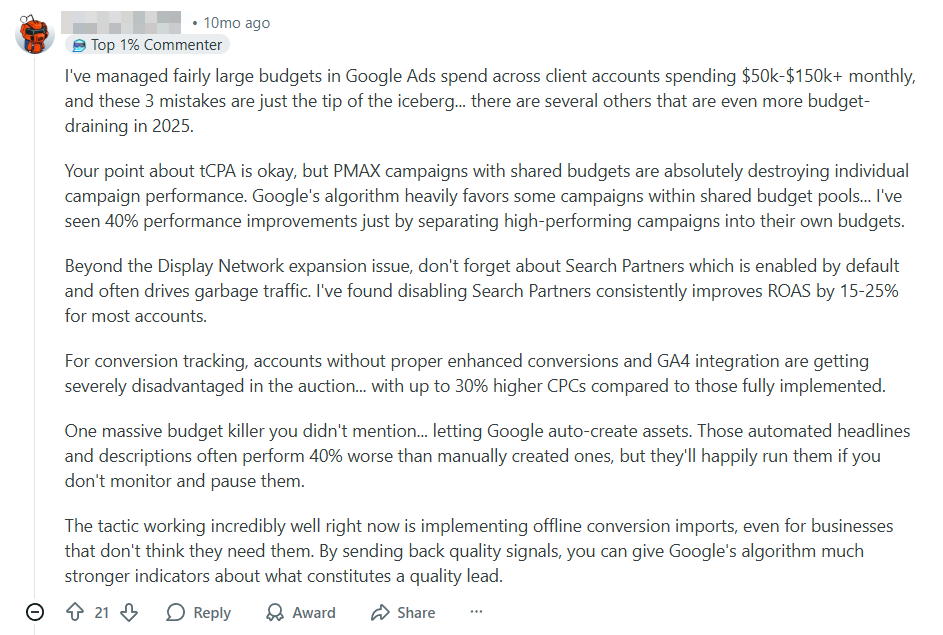
The solution is simple: disable Search Partners in your campaign settings. Reddit users report that this single action can increase ROAS by 15–25%.
However, note that when you disable Search Partners, the algorithms will have to restart the ad campaign and learn from scratch. Users of agency accounts can avoid this: they support Enhanced Conversions, which hashes and saves the data of all users who clicked on the ad. This data then serves as the foundation for the algorithm, allowing the ad campaign to continue seamlessly.
Auto-Apply: How the Platform Interferes with Campaigns Without Your Knowledge
When you launch an ad campaign, the Auto-Apply mechanism is activated by default. With it, Google's algorithms gain the right to make changes to the campaign on their own – without your confirmation or even notification. This involves over a hundred parameters: the algorithm can change the bidding strategy, launch new ads, pause existing ones, and – most dangerously – add or remove your keywords.
The most treacherous Auto-Apply recommendation is "Remove redundant keywords". Google decides that if you have the same keyword in both Exact Match and Broad Match, the Exact one is "redundant" and deletes it. The result: without Exact Match, prioritization breaks, broad match expands reach to junk queries, and traffic quality plummets.
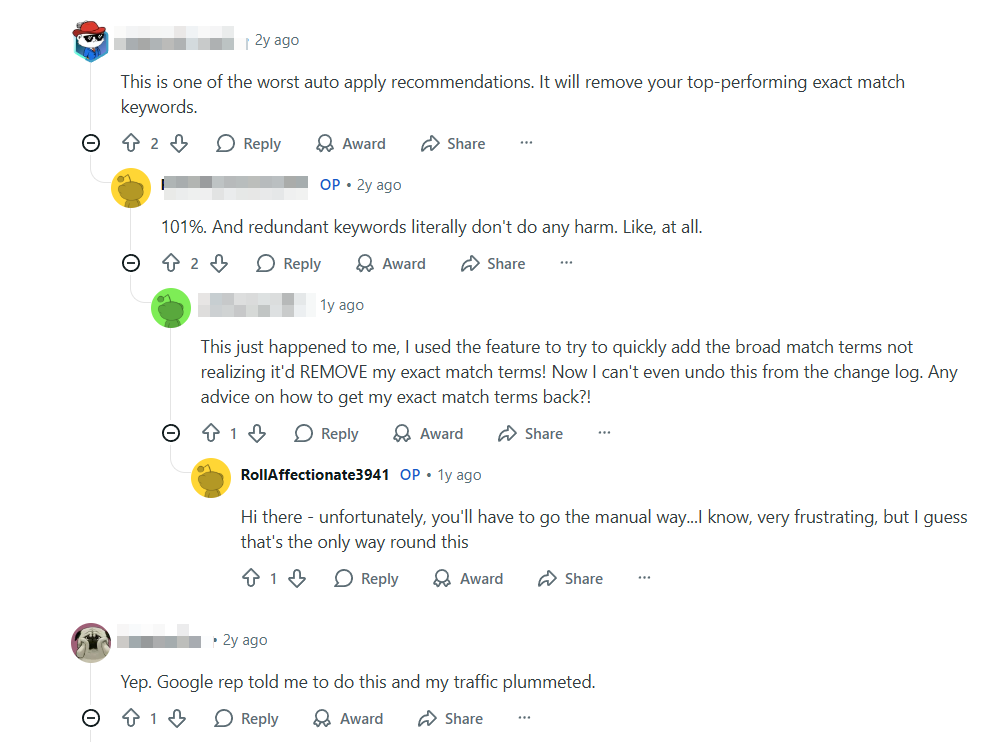
One Reddit user wrote plainly: "Google rep told me to do this and my traffic plummeted." Another found they couldn't revert the changes via the Change Log and had to restore the keywords manually.
To fix the problem, go to the "Recommendations" tab, find Auto-Apply, and uncheck all items. Save the changes. Also, be sure to check your Change History – the algorithm may have already changed something without your knowledge.
Remember: on self-registered accounts, you will have to disable Auto-Apply and monitor its activity with every new ad campaign. Sometimes Auto-Apply can re-enable itself spontaneously, as shared by one Reddit user.
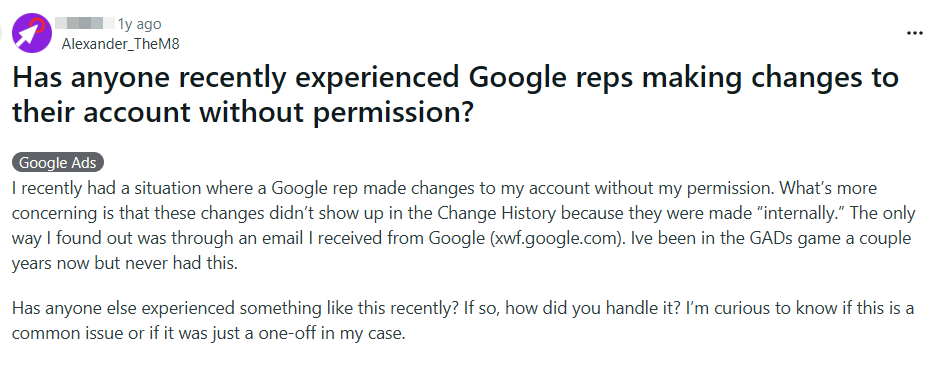
Agency accounts protect affiliates from such risks: they allow you to exclude Auto-Apply at the MCC level, so you can stop worrying about sudden changes to campaign parameters.
Keyword Close Variants
The Close Variants algorithm is the primary culprit behind junk queries. It expands your keywords to "similar variants" and shows ads for queries that Google deems close in meaning. It sounds reasonable, but the devil is in the details.
Google Help describes six rules the algorithm uses to pick "close variants" for your keywords:
-
Syntactic variants – misspellings, plural or singular forms: e.g., "running shoes" becomes "running shoe";
-
Word reordering – the algorithm changes the order of words: "shoes mens" becomes "mens shoes";
-
Function words – the algorithm removes or adds prepositions and articles: "shoes for men" is rephrased as "men shoes";
-
Implied words – the algorithm removes words it considers "obvious": e.g., "daydream vr headset" suddenly transforms into "daydream headset";
-
Synonyms and paraphrases – the algorithm replaces your words with others it considers similar in meaning: "bathing suits" → "swimming suits";
-
Intent matching – the AI decides the query has "the same meaning" and substitutes anything: e.g., "images royalty free" turns out to be "free copyright images" or even "download free photos".
The problem lies in rules 5 and 6. Google grants itself the right to replace your words with its own and decide for itself what the user "meant".
According to Reddit users, sometimes their commercial offer appears for completely unrelated commercial queries. One user shared that his phrase match keyword "enterprise workflow software" triggered an ad for the query "free tax filing software". There was zero semantic connection, yet Google decided the intent "matched".
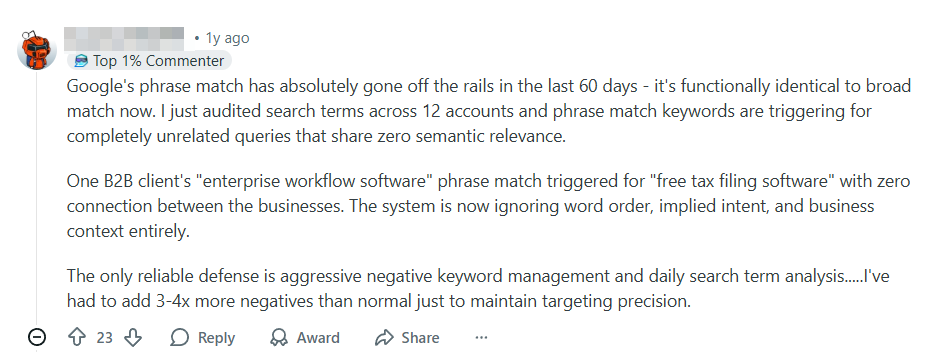
You cannot disable this algorithm, as stated directly in Google’s documentation. You will have to update your negative keyword list daily, monitor active keywords, and promptly exclude irrelevant ones. Affiliates on BHW say they sometimes spend an hour a day on this.

To make things easier, you can use Google Scripts to apply a script to the account that adds all queries that haven't generated a CR (conversion rate) within, for example, 48 hours to the negative keywords. But beware: on accounts with low trust, the rapid action of a script can be a red flag for the algorithms. There is a risk of getting banned for "Suspicious Activity". Agency accounts reliably protect against this: their trust level is high enough that the AI isn't triggered even by multiple active scripts running simultaneously.
Other Search Terms
When you open the Search Terms Report in Google Ads, there is a row at the bottom labeled "Other search terms". This hides queries for which your ad was shown and received clicks, but Google refuses to disclose exactly what those queries were.
Officially, Google claims it hides queries to protect user privacy. If only a few people entered a query, disclosing it could supposedly violate confidentiality – for example, if the query contained a home address.
However, the scale of this data hiding makes this explanation questionable. According to Search Engine Land, 85 cents of every dollar spent goes toward hidden queries – and their CPC is 52% higher, while the CTR is 44% lower than for visible ones. Analyst Collin Slattery analyzed $20 million in ad spend and expressed his doubts clearly: "I strongly believe it’s not about privacy – it’s about monetizing low-quality inventory".
A Reddit user shared a situation: a simple brand campaign with only 5 keywords in phrase match, yet more than half the budget went into "Other". Clicks on hidden queries cost 6 times more than visible ones.
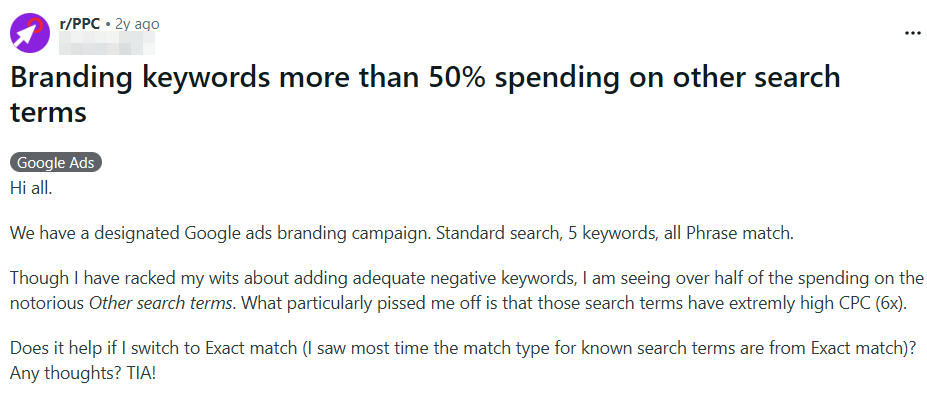
Still, even this scourge of Google Ads can be fought. First, try switching to Exact Match – some affiliates on BlackHatWorld share that this actually helps preserve the budget.

Another interesting hack was provided by a Reddit user: if you use the utm_term tag, you can create a simple script to capture keywords and save them to a database.

Summary
Fighting junk queries in Google Ads is both possible and necessary. Disabling Search Partners, deactivating Auto-Apply, daily cleaning of negative keywords, and monitoring hidden queries via UTM tags significantly reduces spend on irrelevant traffic.
But there is a nuance: active work with an account requires a history and predictable behavior. On a fresh account with low trust, mass actions – like adding hundreds of negatives via a script, sudden budget changes, or frequent campaign edits – can be flagged by the Fraud Detection system as suspicious activity. YeezyPay agency accounts do not have this problem: they already have a built-in history, which provides them with high trust and drastically reduces the risk of bans.


