


High CTR, Zero Profit: Why Google is Burning Your Budget and How to Stop It
Imagine this scenario: an affiliate starts running a campaign, let’s say nutra for Brazil. There is plenty of traffic, and the vertical is in high demand, so the CTR skyrockets. However, the affiliate realizes that he isn't making any money—on the contrary, the budget is being spent on nothing. He opens the tracker, checks the statistics, and sees zero sales.
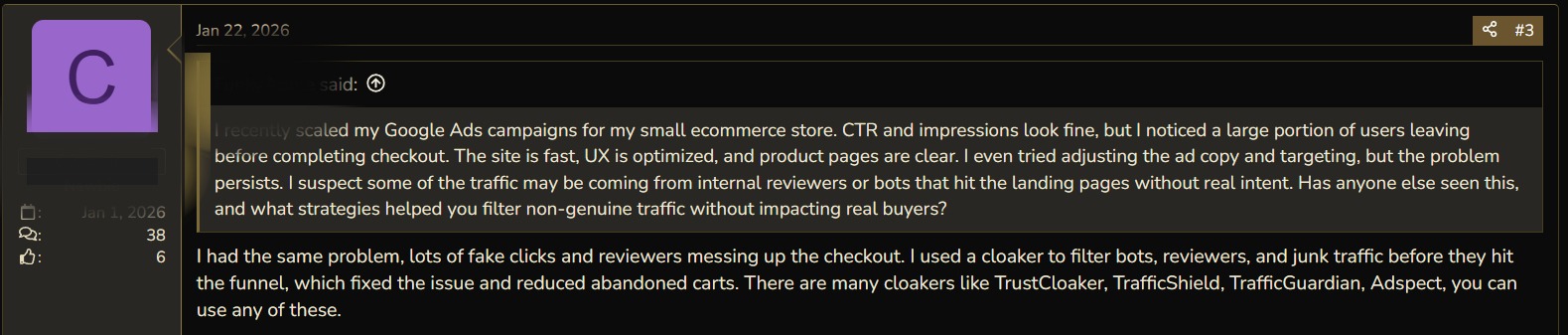
Even as a hypothetical, this scenario can break you out in a cold sweat. Meanwhile, for many media buyers, this is a very real problem. For instance, one affiliate on BHW shared: "The site is fast, the UX is optimized, and product pages are clear, but users still leave."

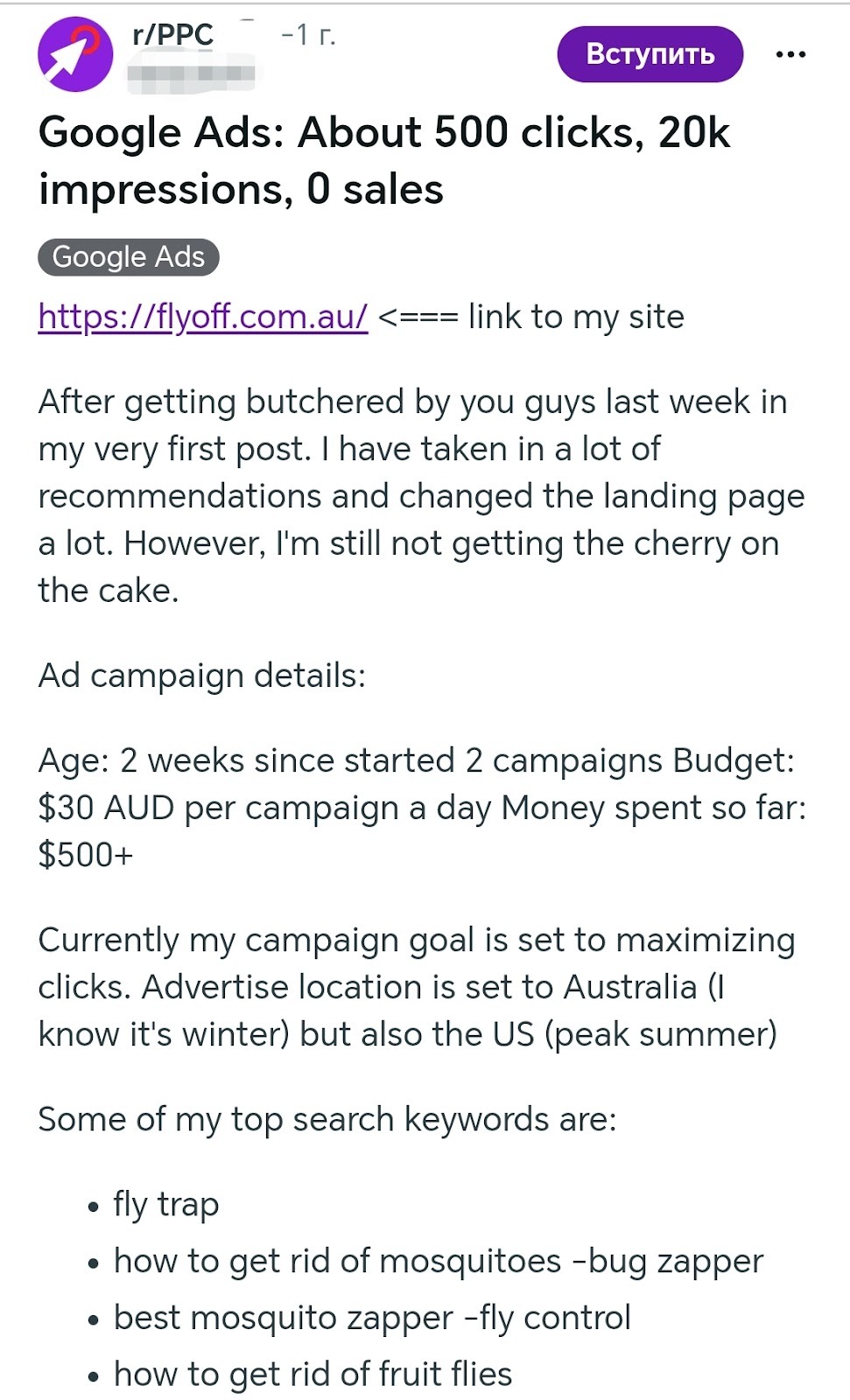
In another case, an affiliate running e-commerce for two weeks received 500 clicks, 20,000 impressions, and zero sales. Neither carefully selected keywords, nor a daily spend of $500, nor multiple landing page edits helped him.
It’s unclear what to do because such a result can be caused by a complex set of issues: from broken attribution to poor-quality traffic. The YeezyPay team has looked into these problems. We will explain the reasons for this seemingly inexplicable user behavior and tell you how to fix it.
Clicks are there, but sales are not: Three main reasons
Three problems are most often responsible for a budget drain despite a high CTR:
-
Dirty, fraudulent, or irrelevant traffic.
-
Low site loading speed on the user's side—this is especially relevant in Tier-3 geos.
-
Incorrectly configured attribution: Google sees clicks but cannot track conversions, so it starts targeting the audience that clicks more often rather than the one that actually buys.
Let’s look at these problems in order from "simplest to most complex": while getting rid of fraudulent traffic is relatively easy, fixing a pixel will be more difficult.
Problem 1: Low-Quality Traffic is Hitting the Page
Low-quality, "dirty," or even fraudulent traffic is the primary reason for a low CR. Here are several important facts to consider when working with Google Ads:
-
According to the Fraud0 report for 2025, up to 21% of all advertising traffic is fraud. In mobile apps—where the Display Network often pushes traffic—this figure reaches 40%.
-
The "Fat Finger" effect consumes 60% of mobile traffic. It is no surprise that users who accidentally click on an ad provide a high CTR but buy nothing.
Some cases confirm the relevance of this problem. For example, beginners in affiliate marketing are always advised to disable "Search Partners" first, precisely because "partners" bring in irrelevant traffic.
How to fix the problem:
First, you should disable Search Partners and the Google Display Network: Google brings the most fraud from these sources.
Next, if ads are running on mobile devices, disable mobile app traffic entirely. To do this, navigate through the directory: Content -> Exclusions -> App Categories. Afterward, you can manually whitelist placements that you deem necessary.
Some users recommend using cloaking to filter traffic. In that case, bots or "competitors" see a dummy site, while target buyers see the real one.
Finally, you can set up a script: if fewer than 5% of users who clicked made a purchase, the site should be added to a blacklist. However, users of self-registered accounts may face a problem: if you start blacklisting a massive number of placements on a standard account at once, Google might accuse you of "suspicious activity" and ban the account. At the same time, agency accounts almost never face such risks due to their high trust levels.
Problem 2: The Site is Poorly Optimized and Loads Slowly
If sales are still zero even with clean traffic, check the site optimization. During testing, a site might load quickly because of the high performance of the device used for the test. Meanwhile, users from Tier-3 geos might wait 15 seconds for that same site to load. Sometimes, low loading speed affects Tier-1 as well, due to poor Core Web Vitals optimization.
Statistics indicate that more than half of all websites on the internet are not optimized and work too slowly: even with high internet speeds, they take 5–6 seconds to load. Meanwhile, every additional second leads to a 4–5% loss in conversions.
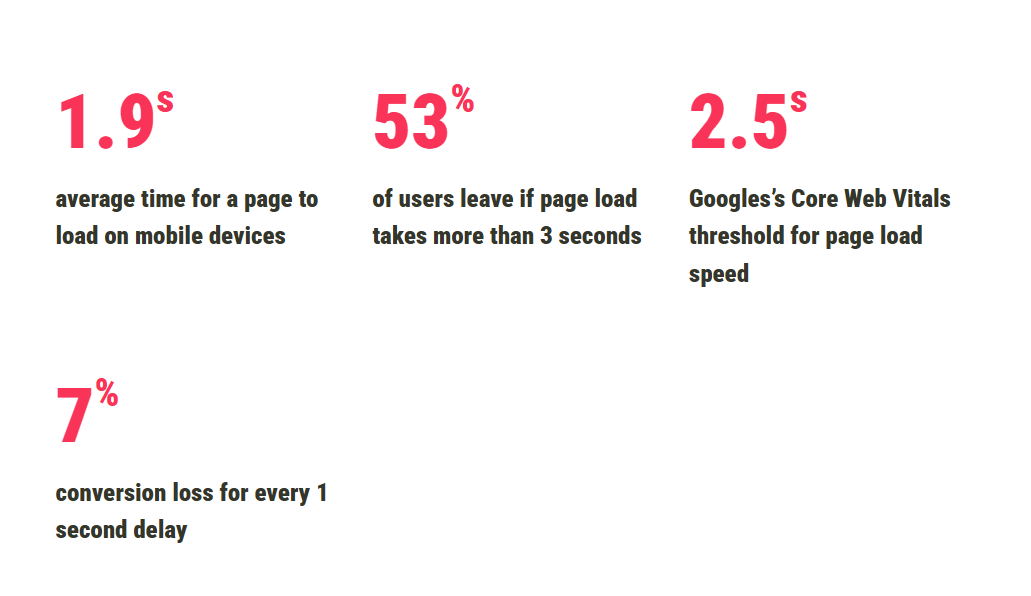
In this case, a high CTR can be explained by a great creative, while the lack of CR is explained by the fact that the creative leads to a page that takes 15 seconds to load.
How to fix the problem:
Above all, you should make the site as light as possible: replace all heavy libraries like jQuery, Bootstrap, or Lottie with native JS or Alpine.js. Next, apply Lazy Load even to fonts: with Lazy Load, content is only loaded when the user sees it. It is better to repackage all images into WebP—they weigh significantly less than even JPGs and significantly increase site loading speed. CDN servers should be chosen as close to the target geo as possible.

When an affiliate changes the site URL or its content, the resource is sent back for moderation. During this time, the ad campaign stops, and the Google Performance Max algorithms are reset. This means you have to allocate additional budget for their retraining. Only self-regs face these problems: agency accounts are moderated faster and support Enhanced Conversion, meaning they preserve already collected user data without disrupting the algorithm.
Problem 3: Incorrect Attribution
According to Stape.io and Adblock Plus documentation, the Safari browser and ad blockers can completely kill any ad campaign. They keep the domain googleadservices.com in their EasyList, blocking ads and, along with them, killing attribution.
Google does not track purchases from, for example, iOS devices through the Safari browser. Smart Bidding is forced to change its strategy, targeting users who use Android devices or browsers other than Safari. Not only are there significantly more of these users than iOS users—which leads to the "fat finger" effect and empty clicks—but they are also often characterized by lower income.
For these reasons, it can be said that incorrect attribution is a subtle but serious cause of low CR with high CTR.
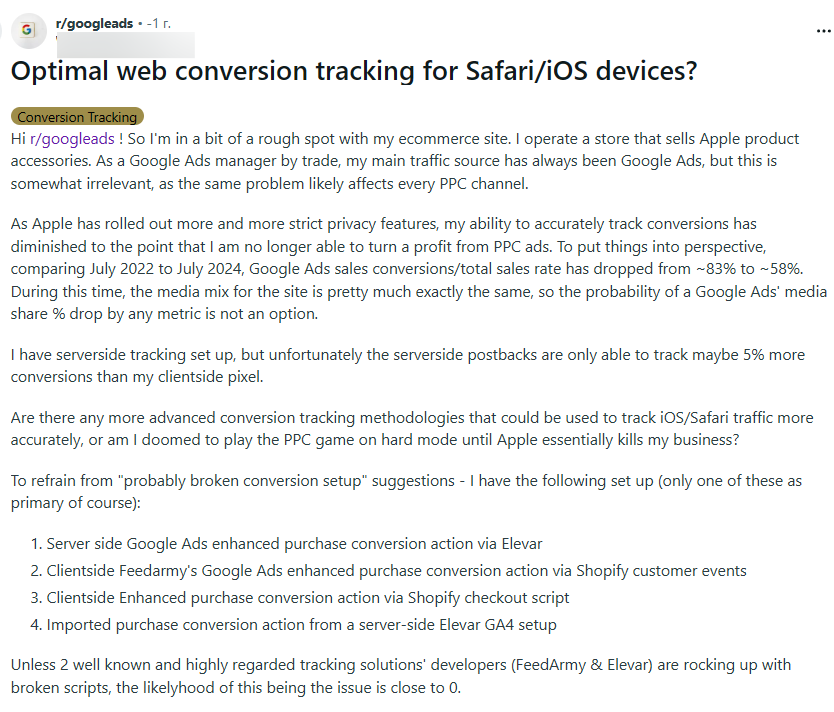
Many people face this. For example, the owner of an Apple accessories store recently shared his pain: over 2 years (from July 2022 to July 2024), the share of tracked conversions in Google Ads dropped from 83% to 58%—even with server-side tracking configured. iOS and Safari privacy updates are cutting attribution at the root.
How to fix the problem:
Since the problem is not on the surface, proceed to solve it after you have ensured the quality of the attracted traffic and optimized the resource.
To identify the problem, compare the number of clicks in Google Ads statistics with the sessions in your tracker: if the pixel is dead, the discrepancy will be 35–40% or higher.
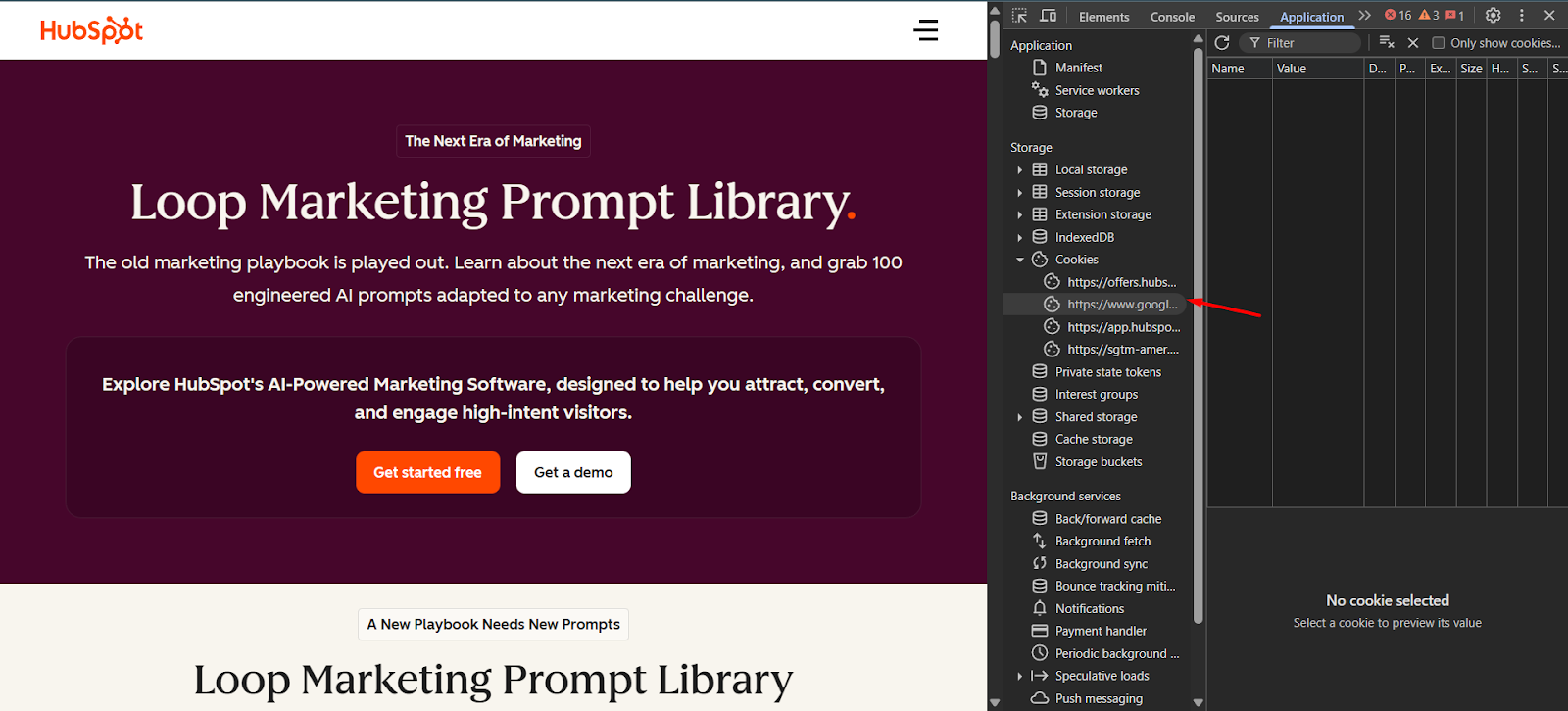
Then, confirm the issue. Click on your ad and go to the site. Open DevTools (F12) -> Application -> Cookies or check the URL. Track the gclid parameter—find out if it survives until the "Thank You" page. If the parameter is lost during transitions between pages, Google physically cannot record the conversion.
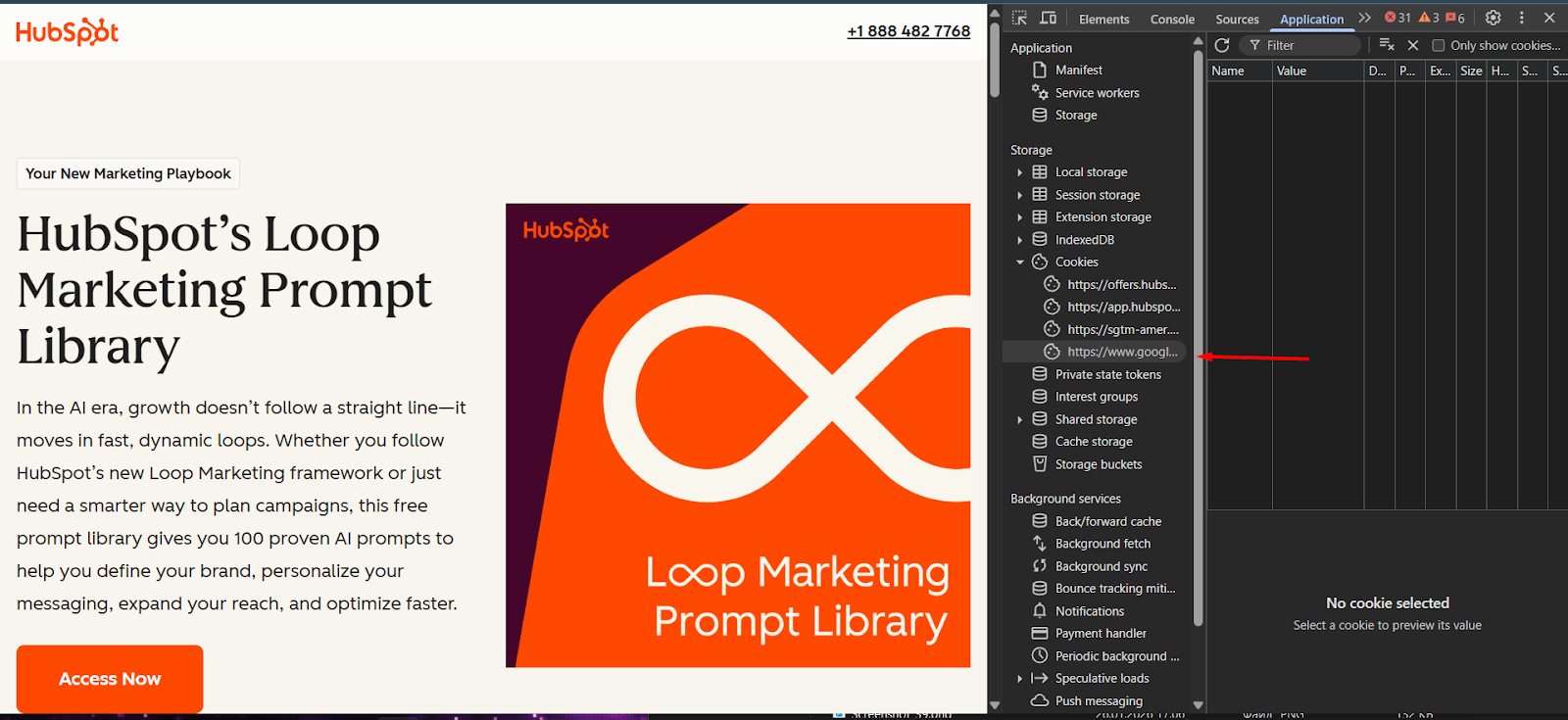
For example, on one of HubSpot's landing pages, you can see a Google Tag Manager tag—here it plays the role of the gclid. If the user makes a purchase and reaches the "Thank You!" page, the tag remains: this means the conversion was tracked.
The only way to solve the problem is to use S2S (Server-To-Server) functionality along with the aforementioned Enhanced Conversion. S2S allows Google to receive purchase information directly from the CRM. A few days of running traffic with S2S will very likely restore correct attribution.
You don’t need to be a developer to implement S2S, but you must give the correct task to a technical specialist or integrator. Here are the three components that need to be configured:
-
GCLID (Google Click ID) Collection: Ensure that your CRM or tracker (Keitaro, Binom) automatically saves the gclid parameter from the URL during each visit.
-
API Integration Setup (Conversion API): Set up a Postback from the tracker to Google Ads. This is done via the "Conversions -> Uploads -> API" tab or through native tracker integrations.
-
Enable Enhanced Conversions: In the conversion settings in Google Ads, check the box "Turn on Enhanced Conversions" and set up the transmission of hashed Email/Phone through Google Tag Manager (GTM).
Working with S2S requires connecting a tracker to Google Ads via API. Not only is such functionality often unavailable on unwarmed self-registered accounts, but you can also be banned for "suspicious activity" because of it. To have uninterrupted access to API functionality and protect yourself from bans, it is better to use agency accounts. When you connect your tracker to them via API, Google's security filters do not flag it as "suspicious activity." On a self-registered account, such a connection often leads to a freeze for review; on an agency account, it works immediately.
Summary
If your Google Ads shows a high CTR while your budget is "going down the drain," do three things:
-
Disable the Display Network and Search Partners in search campaigns. Don't pay for accidental clicks in mobile games.
-
Speed up your site. Your landing page should fly on a cheap Android device on a 3G network. Every second of delay is a 4% loss of your budget.
-
Reconfigure attribution. Without S2S tracking and Enhanced Conversions, your Smart Bidding is blind. It will train itself on bots until it drains the entire budget.
When you clean traffic with scripts, change domains to speed up the site, or connect complex API integrations, standard accounts often "break" under the weight of reviews and bans. YeezyPay agency accounts are created specifically so you can safely configure your account and save your budget.


