


Google Ads Card Declined: 12 Reasons and How to Fix Each One
You've set up your Google Ads campaign, written the perfect ad copy, and you're ready to launch. Then Google hits you with the dreaded "card declined" notification. Your campaigns pause. Your traffic drops to zero. And you're left staring at a billing error with no clear explanation.
It's frustrating. We've seen it happen to thousands of advertisers — from solo affiliates running $50/day budgets to agencies managing six-figure monthly spends. The worst part? Google rarely tells you exactly why your card was declined.
At YeezyPay, we deal with payment issues every single day. Our advertisers come from over 40 countries, and many of them have faced every decline reason on this list at least once. So we've put together this guide based on real cases, real fixes, and what actually works in 2026.
How Google Ads Billing Works (Quick Overview)
Before we get into the reasons, it helps to understand how Google charges your card. Google Ads uses automatic payments by default. You accrue ad costs, and Google charges your card when you hit a billing threshold or at the end of each month — whichever comes first.
New accounts start with a low threshold (often $50). As you build payment history, that threshold increases — $200, $350, $500, and eventually higher. Each time Google attempts a charge, your bank or card issuer runs it through fraud detection, balance checks, and authorization protocols. A failure at any step means a decline.
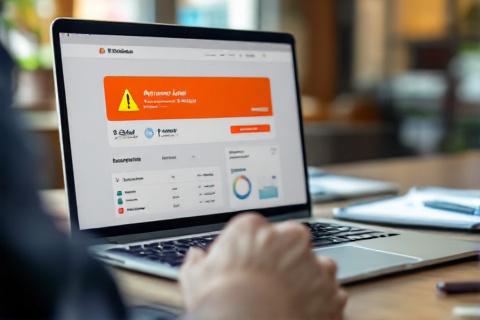
A payment failure notification in Google Ads can pause all active campaigns within minutes.
Google retries failed charges automatically over several days. But if the charge keeps failing, your account gets suspended for non-payment. That's when things get ugly — especially if you're running time-sensitive campaigns.
Now let's break down the 12 most common reasons your card gets declined, and what to do about each one.
Reason #1: Insufficient Funds
The most obvious one. Your card doesn't have enough balance to cover the charge. This happens more often than you'd think with debit cards and prepaid cards, especially when Google charges a lump sum at the billing threshold.
Fix: Check your available balance. Make sure it covers at least your billing threshold amount plus a 10-20% buffer. If you're using a debit card, consider switching to a credit card with a higher limit. Set up balance alerts with your bank so you never get caught off guard.
Reason #2: Card Expired
Your card's expiration date has passed, or it's about to expire and your bank has already issued a new card with new details. Google can't charge an expired card.
Fix: Go to Billing > Payment methods in Google Ads. Update the expiration date (and CVV if it changed). If your bank sent a replacement card with a new number, add it as a new payment method and remove the old one.
Reason #3: Incorrect Card Details
A typo in the card number, wrong expiration date, or mismatched billing address. Even a single digit off will trigger a decline. This also includes entering the wrong CVV/CVC code.
Fix: Double-check every field. The billing address must match exactly what your bank has on file — including apartment numbers, ZIP codes, and country. Some advertisers forget to update their address after moving. That's an instant decline.

Multiple card declines can trigger Google's fraud detection, making future payments even harder to process.
Reason #4: Bank Fraud Protection
Your bank flagged the transaction as suspicious. This is one of the most common reasons — and one of the hardest to fix from Google's side. Banks use automated fraud detection systems that can flag any unusual charge, especially international ones.
If you're in Nigeria and Google charges from Ireland (where Google's European billing is based), your bank might block it automatically. Same goes for advertisers in Pakistan, Bangladesh, and many other countries.
Fix: Call your bank. Tell them you're making a legitimate recurring payment to Google. Ask them to whitelist Google's merchant ID. Some banks let you do this through their app. You might also need to confirm the transaction via SMS or push notification.
Reason #5: International Transaction Restrictions
Many banks in developing countries block international transactions by default. Your card might work fine for local purchases but get declined for any cross-border charge. Google bills from different entities depending on your region — Google Ireland, Google Asia Pacific, or Google LLC in the US.
Fix: Enable international transactions on your card. Most banks offer this toggle in their mobile app or online banking. Some require a phone call. If your bank doesn't support international transactions at all, you'll need a different payment method — which is where virtual cards and agency accounts come in.

Virtual cards from providers like PST.net or Buvei can bypass many bank-level restrictions.
Reason #6: Card Type Not Accepted
Google Ads accepts Visa, Mastercard, American Express, and Discover in most countries. But not all card types work everywhere. Prepaid gift cards, some virtual cards, and certain regional card networks (like RuPay in India or UnionPay in China) may not be accepted.
Fix: Check Google's accepted payment methods for your country. If your card type isn't listed, switch to a supported Visa or Mastercard. For advertisers in countries with limited banking options, a virtual card from an international provider is usually the fastest solution.
Reason #7: Currency Mismatch
Your Google Ads account is set to one currency, but your card operates in another. While Google handles currency conversion, some banks decline charges that arrive in a foreign currency — especially if the cardholder hasn't authorized foreign currency transactions.
Fix: Two options. First, try enabling multi-currency on your card through your bank. Second — and this is the better long-term fix — set up your Google Ads account in the same currency as your card. You can't change currency on an existing account, so you'd need to create a new one. Or use an agency account that's already set up in USD.
Reason #8: Billing Threshold Spike
Google increased your billing threshold, and the larger charge amount triggered your bank's security protocols. This often happens to advertisers who've been spending consistently — Google rewards you with a higher threshold, but your bank sees an unusually large charge and blocks it.
Fix: Make a manual payment before hitting the threshold. Go to Billing > Make a payment, and pay your current balance. This resets the billing cycle. You can also request Google to lower your threshold, though this isn't always possible. Alternatively, notify your bank about expected larger charges.
Tired of Card Declines Killing Your Campaigns?
YeezyPay agency accounts eliminate 90% of payment issues. You get a pre-verified billing setup, USD-denominated accounts, and spending limits that grow with your campaigns — no more bank blocks, no more paused ads.
Reason #9: Suspended or Restricted Google Ads Account
If Google has flagged your account for policy violations, it might reject new payment methods or decline charges on existing ones. This isn't technically a card issue — it's an account issue. But the symptom looks the same: "payment declined."
Fix: Check your account status under Billing > Account settings. If there's a suspension notice, you'll need to appeal first. Adding a new card won't help until the account is reinstated. For advertisers who've been permanently banned, an agency account from a provider like YeezyPay is often the only path forward.
Reason #10: Google's Internal Risk Assessment
Google runs its own fraud detection on top of your bank's checks. If Google's system flags your payment as high-risk — maybe because of your IP location, billing country mismatch, or rapid account changes — it can decline the charge before it even reaches your bank.
We've seen this happen a lot with advertisers who use VPNs or manage accounts from countries different from their billing address. Google notices the discrepancy and blocks the payment.
Fix: Make sure your account's billing country matches your card's issuing country. Don't use VPNs when managing billing settings. If you need to advertise from a restricted country, an agency account provides a clean billing setup that doesn't trigger Google's risk filters.

Reason #11: Card Issuer Spending Limits
Your bank or card issuer has daily, weekly, or monthly spending caps. Even if your balance is fine, exceeding these limits will decline any charge. This is especially common with debit cards, prepaid cards, and cards issued by fintech companies.
Fix: Check your card's transaction limits in your banking app. Contact your bank to raise the limit if possible. For high-spending advertisers, a dedicated business credit card with higher limits is almost always worth it. Alternatively, spread your Google Ads spending across multiple payment methods.
Reason #12: Country Sanctions and Restrictions
If you're in a country under OFAC sanctions or other international restrictions — like Iran, Syria, North Korea, or Crimea — Google will decline any card issued in that country. Period. This also extends to Russia and Belarus since 2022, where Google suspended ad sales entirely.
Even if you have a card from a non-sanctioned country, Google may still decline it if your account's billing address or IP suggests you're in a restricted region.
Fix: There's no technical fix for sanctions-related declines. The only real solution is using a third-party agency account — a Google Ads account maintained by a verified agency in a non-restricted country. This is exactly what YeezyPay provides: you get access to a fully operational Google Ads account with billing handled through an approved entity.
Quick Reference: All 12 Reasons and Fixes
| # | Reason | Quick Fix |
|---|---|---|
| 1 | Insufficient funds | Top up balance, add buffer |
| 2 | Card expired | Update card details in Billing |
| 3 | Incorrect card details | Re-enter number, CVV, address |
| 4 | Bank fraud protection | Call bank, whitelist Google |
| 5 | International restrictions | Enable international transactions |
| 6 | Card type not accepted | Switch to Visa/Mastercard |
| 7 | Currency mismatch | Match account currency to card |
| 8 | Billing threshold spike | Make manual payment early |
| 9 | Account suspended | Appeal suspension first |
| 10 | Google risk assessment | Match billing country to card |
| 11 | Card spending limits | Raise limits or use business card |
| 12 | Country sanctions | Use agency account |
When to Consider an Agency Account
If your card declines fall into categories 4, 5, 10, or 12, you're dealing with systemic issues that no amount of bank calls will permanently fix. These are structural problems tied to your location, your bank's policies, or international regulations.
Here's our honest take from running YeezyPay: about 60% of our customers come to us after months of fighting card declines. They've tried multiple banks, virtual cards, even asking friends abroad to add their cards. None of it is reliable long-term.
An agency account solves the root problem. You're advertising through a verified agency's billing infrastructure. The payments go through established channels that Google trusts. No more geo-blocks, no more fraud flags, no more campaigns dying at 2 AM because your bank decided to flag a $200 charge.
One example: a media buyer from Lagos was spending about $3,000/month on Google Ads for e-commerce clients. He went through four different Nigerian bank cards, two virtual card providers, and even a US-based Mercury account. Each one worked for a few weeks before getting declined again. After switching to a YeezyPay agency account, he's been running campaigns for eight months straight without a single payment failure.
Prevention Checklist
Whether you use an agency account or manage your own billing, here's what we recommend to minimize card declines:
- Keep backup payment methods. Always have at least two cards on your Google Ads account. If one fails, Google tries the backup.
- Monitor billing alerts. Turn on email and SMS notifications for upcoming charges.
- Make manual payments. Don't wait for automatic billing. Pay your balance manually once a week to keep charges small and predictable.
- Use a dedicated card. Don't mix your Google Ads card with personal spending. Banks flag mixed-use cards more often.
- Match everything. Billing country, card country, and account country should all align. Mismatches are the #1 trigger for declines.
- Talk to your bank proactively. Let them know you make recurring international payments to Google. A single phone call can prevent months of headaches.
Final Thoughts
Card declines on Google Ads aren't random. Every decline has a specific reason, and most of them have a specific fix. The key is diagnosing the right cause — which isn't always easy since Google's error messages are notoriously vague.
Start with the simple fixes: check your balance, verify your card details, and call your bank. If those don't work, you're likely dealing with a deeper issue — geo-restrictions, risk flags, or sanctions-related blocks.
For those deeper issues, an agency account isn't just a workaround. It's the professional solution that serious advertisers use when they can't afford downtime. We built YeezyPay specifically for this — to give advertisers from any country a reliable way to run Google Ads without fighting their bank every week.
Got a card decline you can't figure out? Reach out to our team at yeezypay.io — we've probably seen your exact situation before.


